
Downgrading allows you to change your paid Professional subscription to a free Mobile subscription. For information on the differences between Professional and Mobile subscriptions, please click here. If you want to keep your Professional subscription for the remainder of your subscription term, you'll want to cancel Auto Renew. Downgrading to a Mobile subscription will take place immediately, while cancelling Auto Renew will automatically downgrade your account to Mobile at the end of your subscription term.
If you have paid for Master Tour Annually, and need to downgrade, please reach out to our Billing Team for assistance at +1-773-862-4246 ext. 3 or by email at billing@eventric.com.
- Log into my.eventric.com
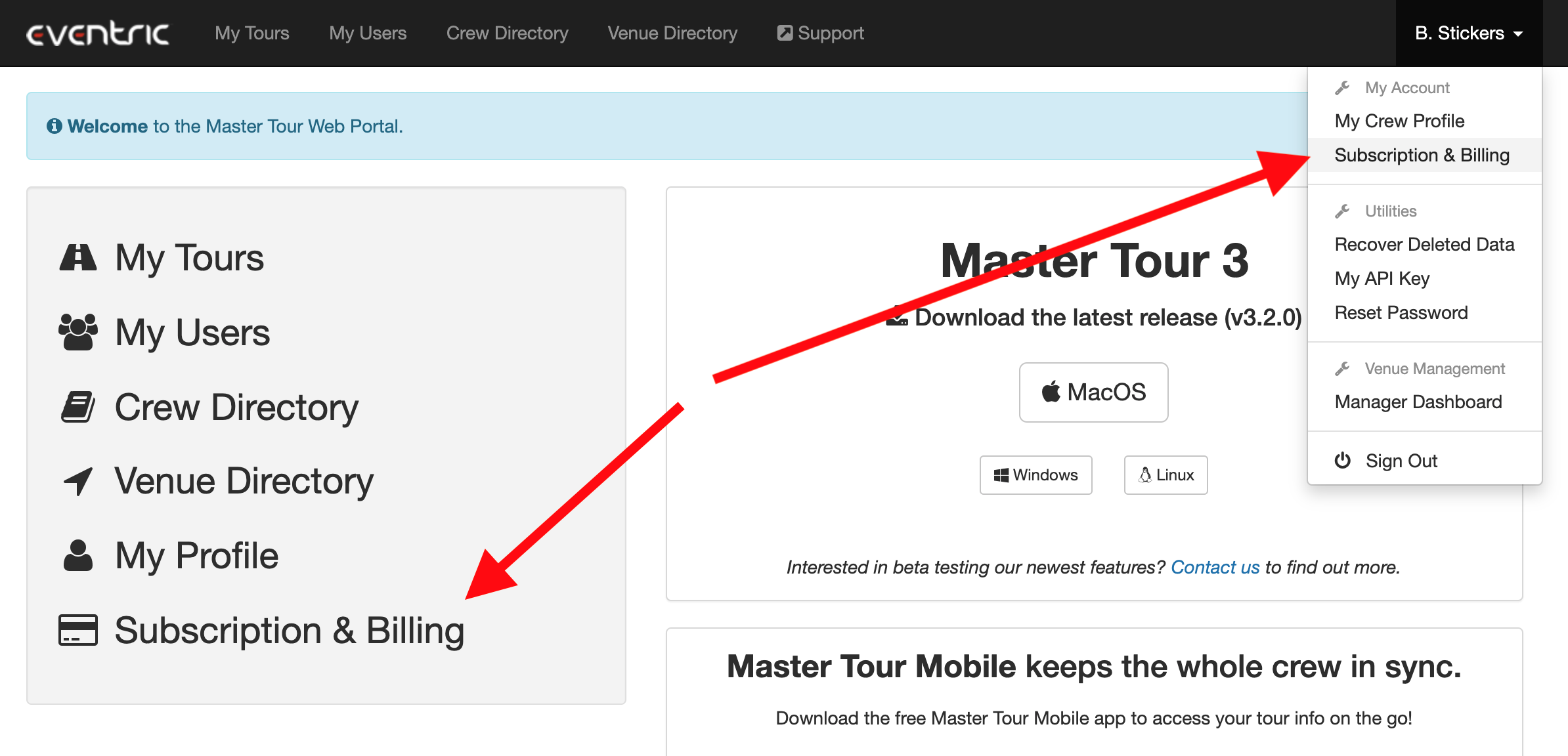
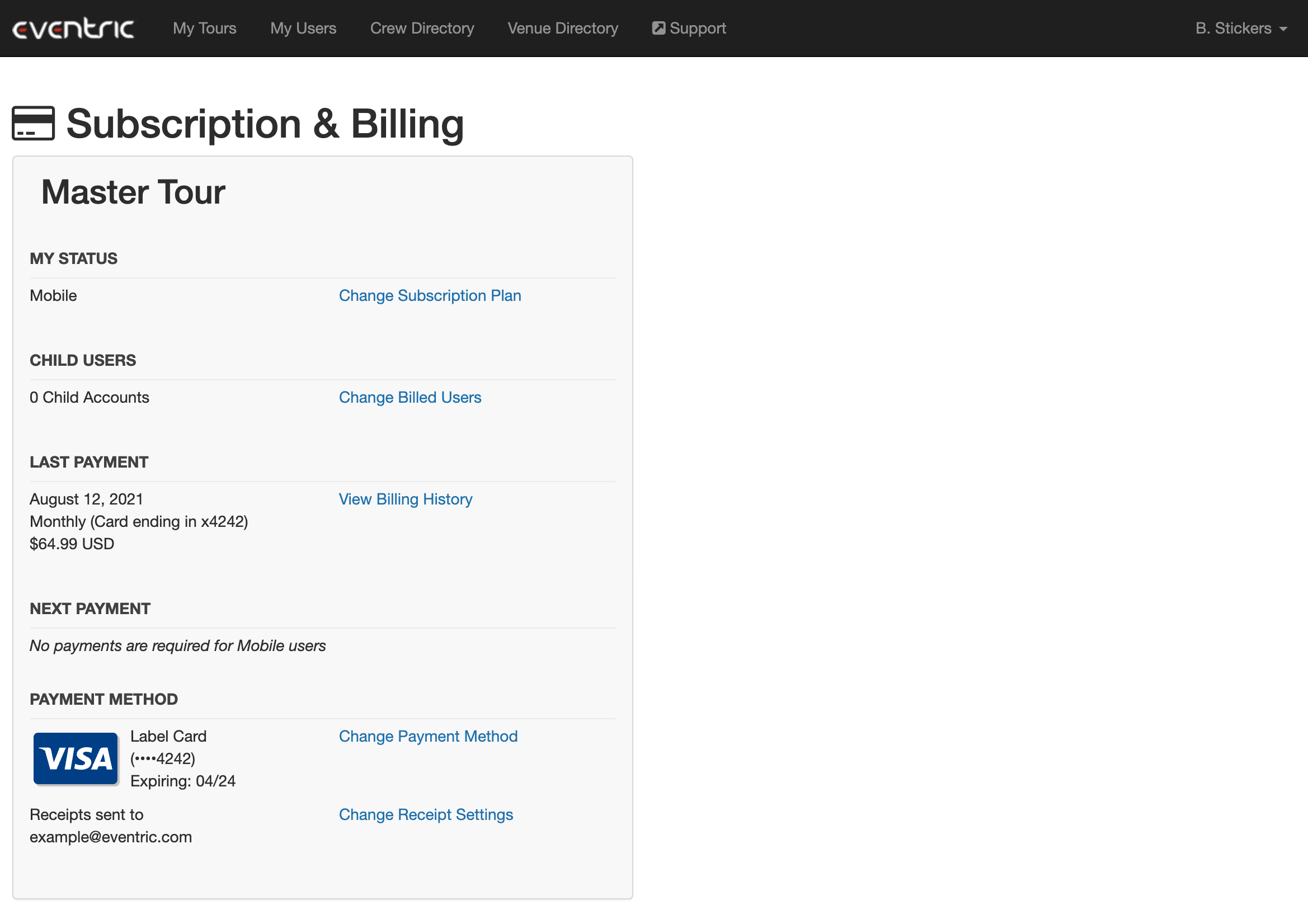
- Click on Subscription & Billing in the quick links on the left or in the dropdown menu in the top right
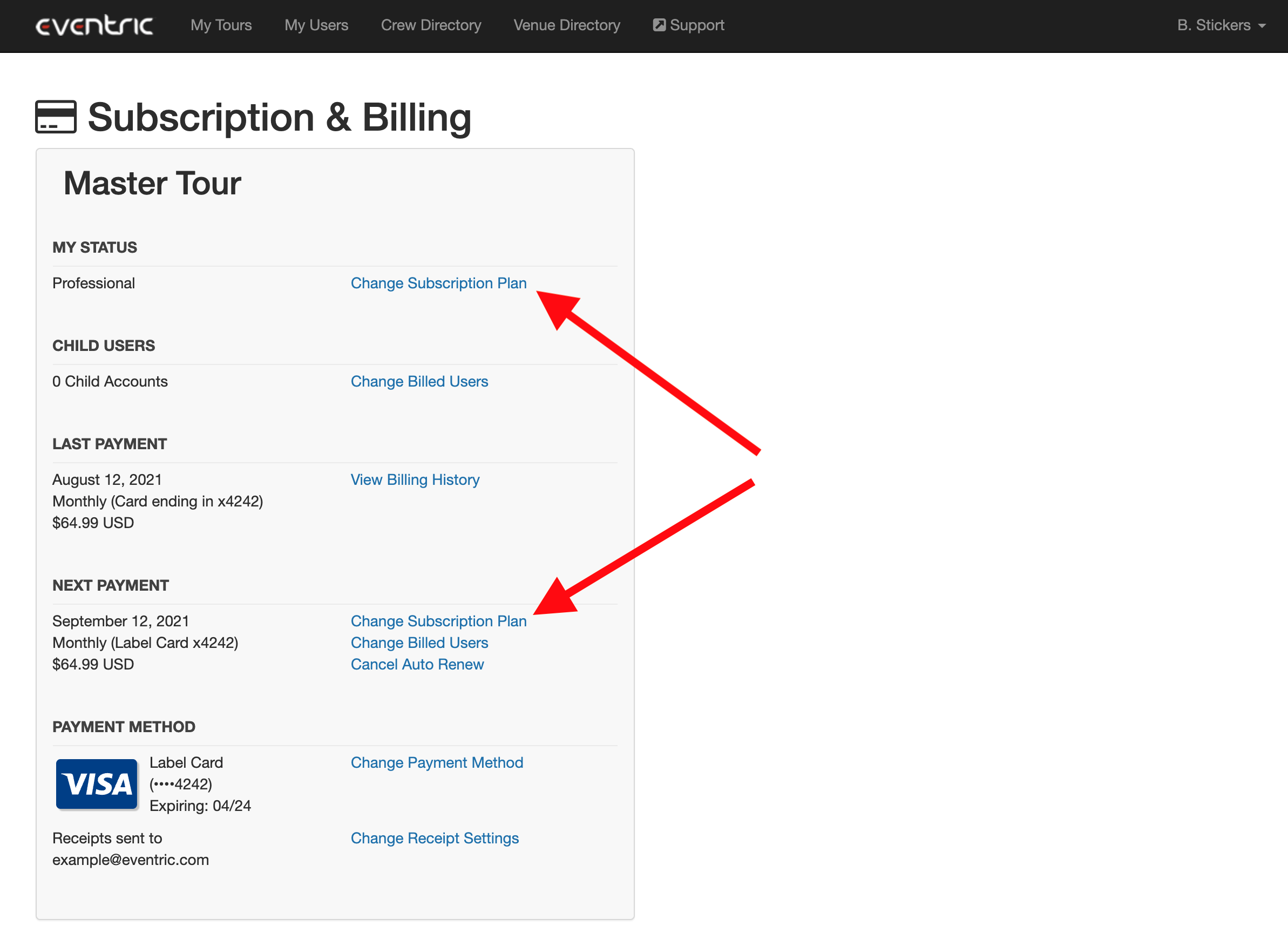
- Click Change Subscription Plan
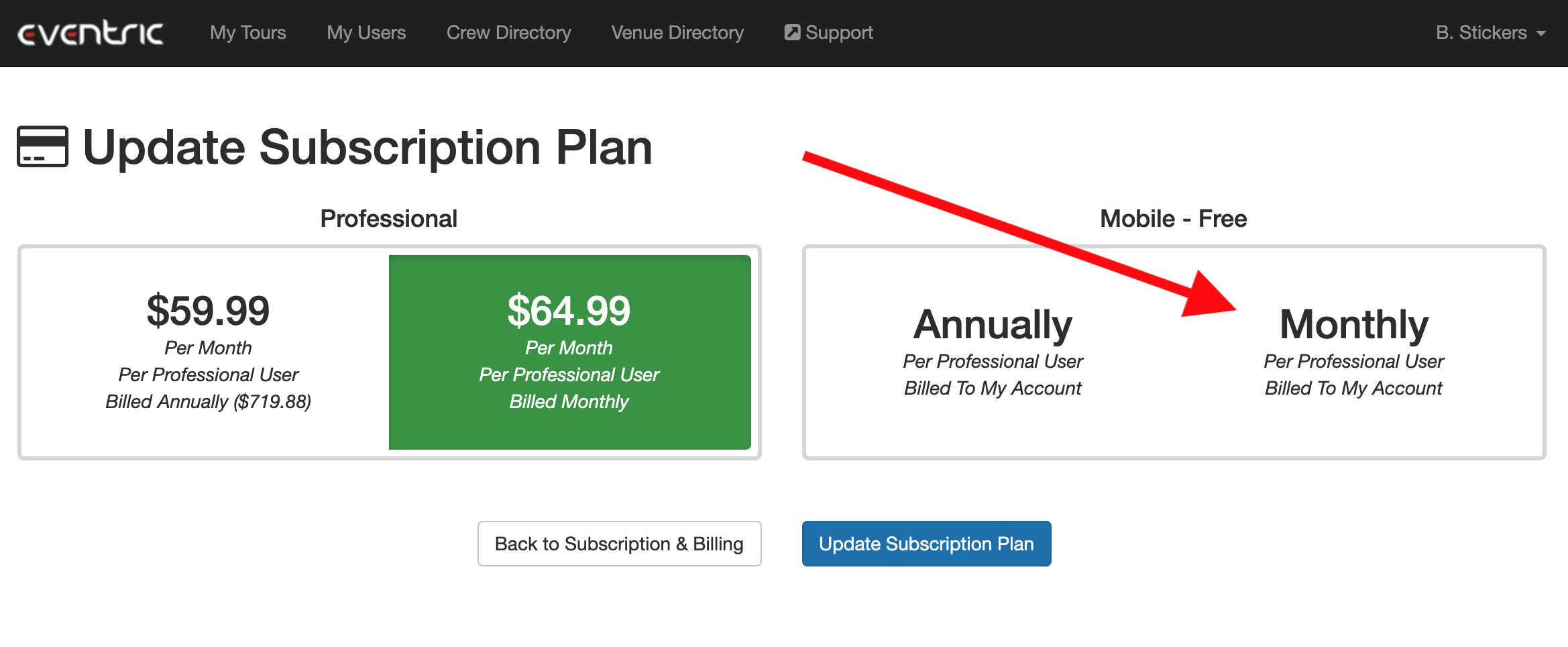
- Select a Mobile Monthly subscription - Mobile Annually subscriptions are only necessary if you intend to pay for other users' Professional accounts on an annual basis
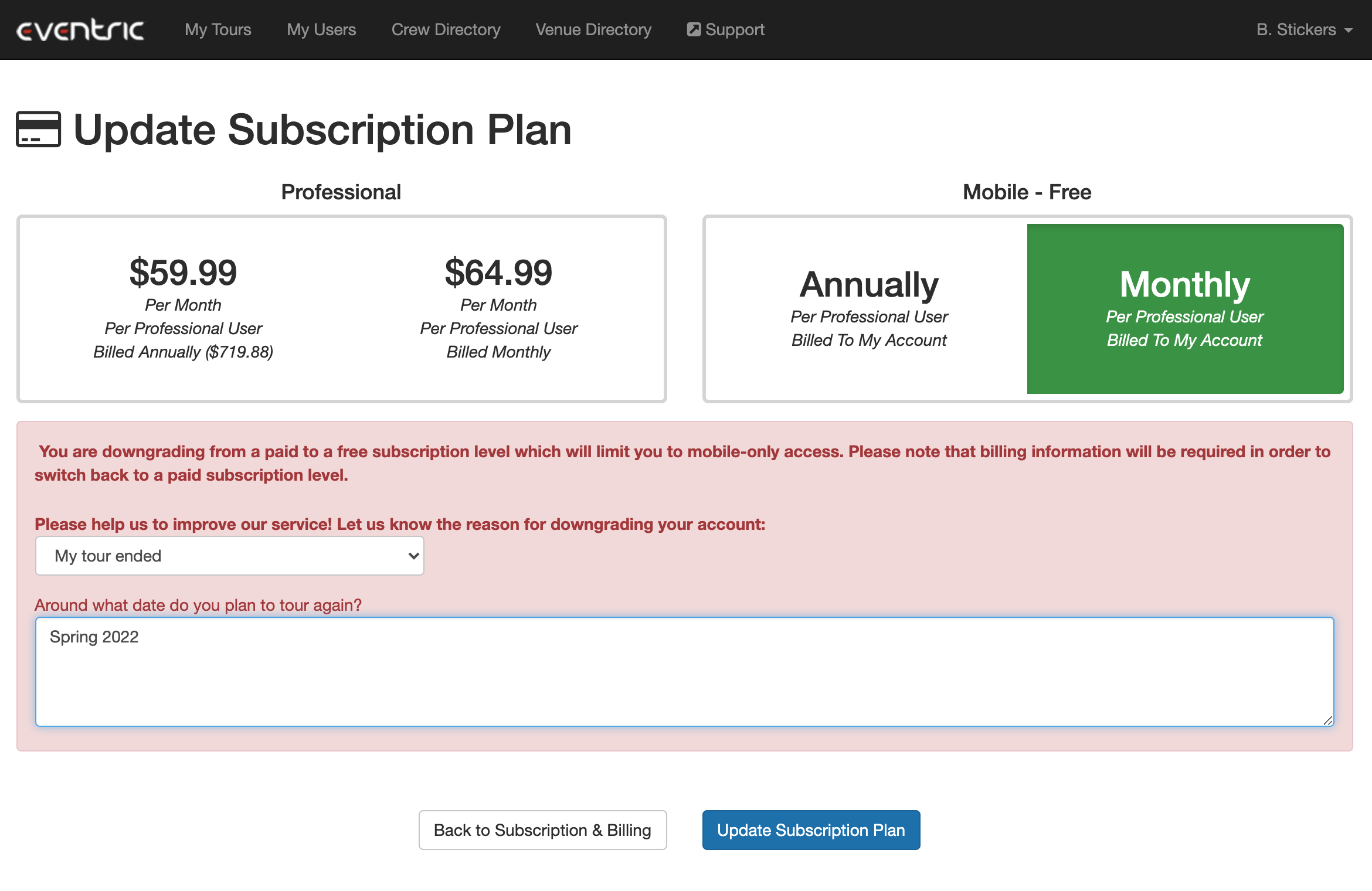
- Select your reason for downgrading, and write any additional info that you want us to know about why you're downgrading. Click Update Subscription Plan to finish downgrading your account to Mobile
- On clicking Update Subscription Plan, you'll be returned to the Subscription & Billing section, and your account will be set to Mobile
If you have any questions after following these instructions, please click here to open a Support Request or call +1-773-862-4246 to speak with a member of our Support Team between the hours of 10:00 am - 6:00 pm US Central Time (CT), Monday through Friday.