
You can export Accounting Line Item Details for Tour Dates using the Accounting Module in Master Tour 3.
This article covers:
How to Navigate to Accounting
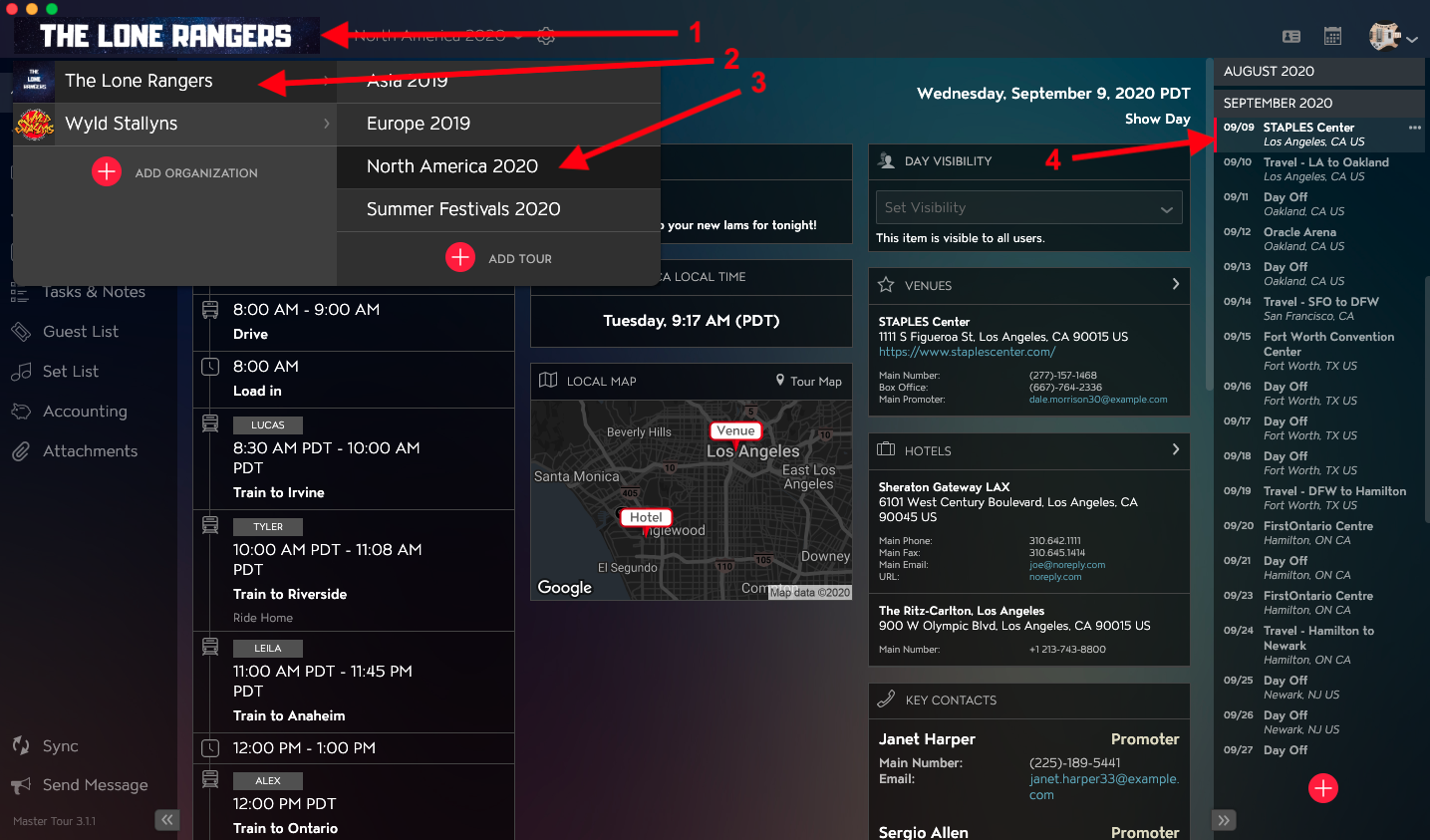
Within Master Tour, select the Tour Date that you would like to export Accounting Attachments from.
- Click on the Organization Selector dropdown menu in the upper left of the application.
- Select an Organization.
- Select a Tour from the Tour Selector dropdown menu.
- Select a Tour Date in the Tour Date List on the right of the application.
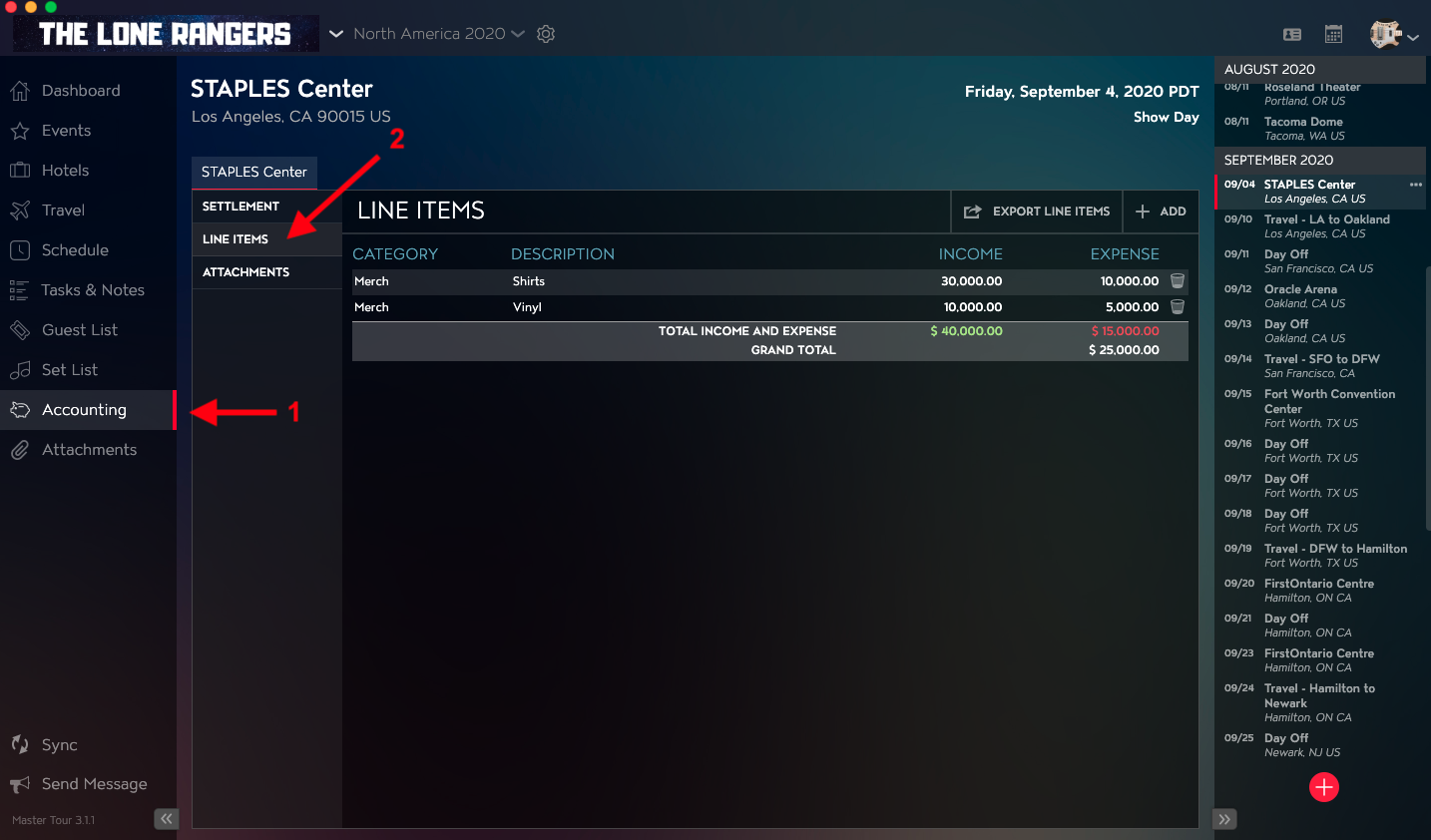
- Click on Accounting in the left menu.
- Click on Line Items in the Accounting menu.
How to Export Line Item Details
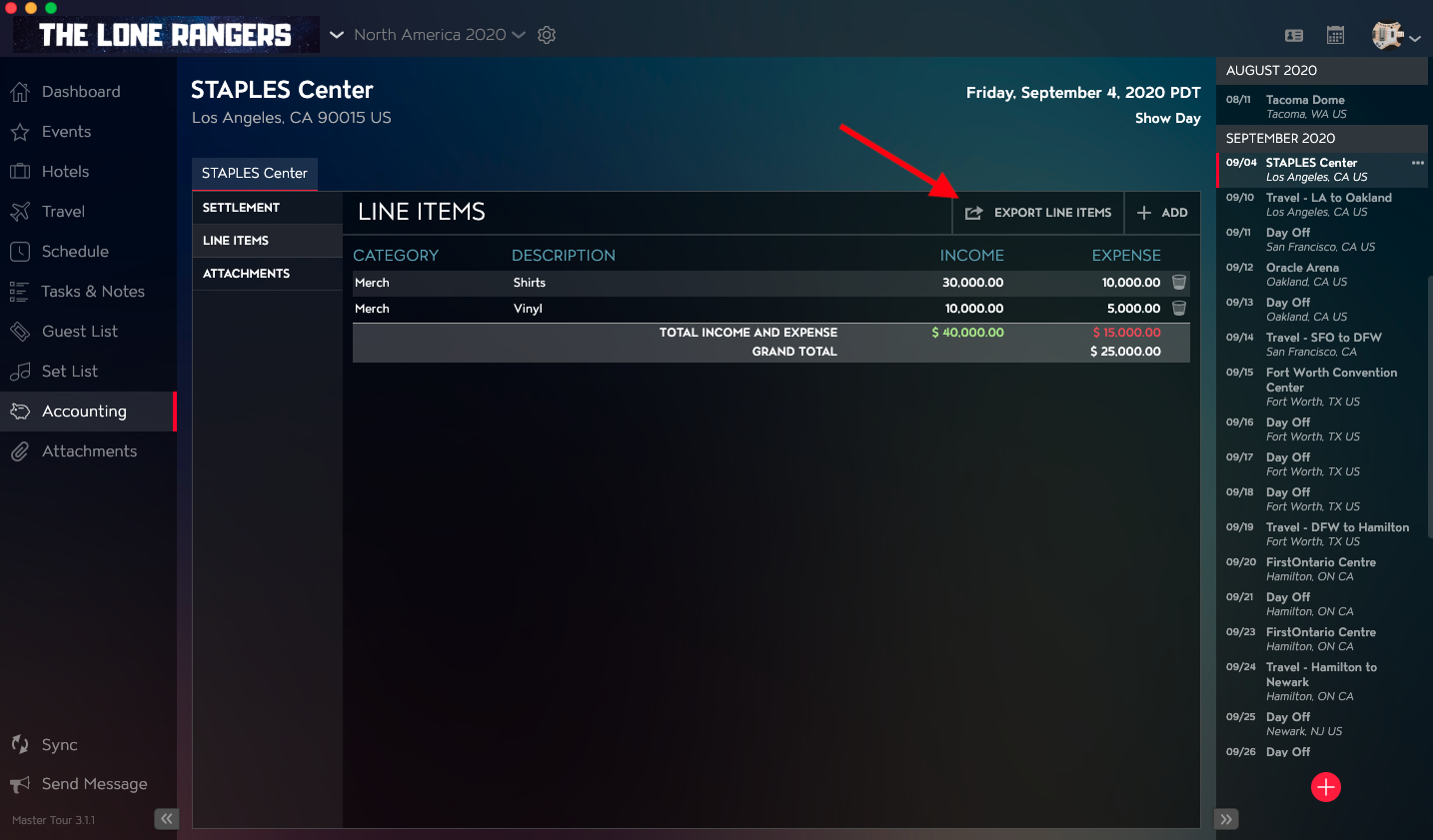
Click on the Export Line Items button in the upper right of the application to download a .CSV file that contains the Settlement Details.
If you have any questions after following these instructions, please click here to open a Support Request or call +1-773-862-4246 to speak with a member of our Support Team between the hours of 10:00 am - 6:00 pm US Central Time (CT), Monday through Friday.