
This is Step Two of the Getting Started Guide for Mobile Users.
To log into the Web Portal, you will need to have an active Mobile or Professional Master Tour account.
The URL for the Web Portal Login Page is: https://my.eventric.com/portal/
We recommend that you bookmark this site so you can easily access it from your browser.
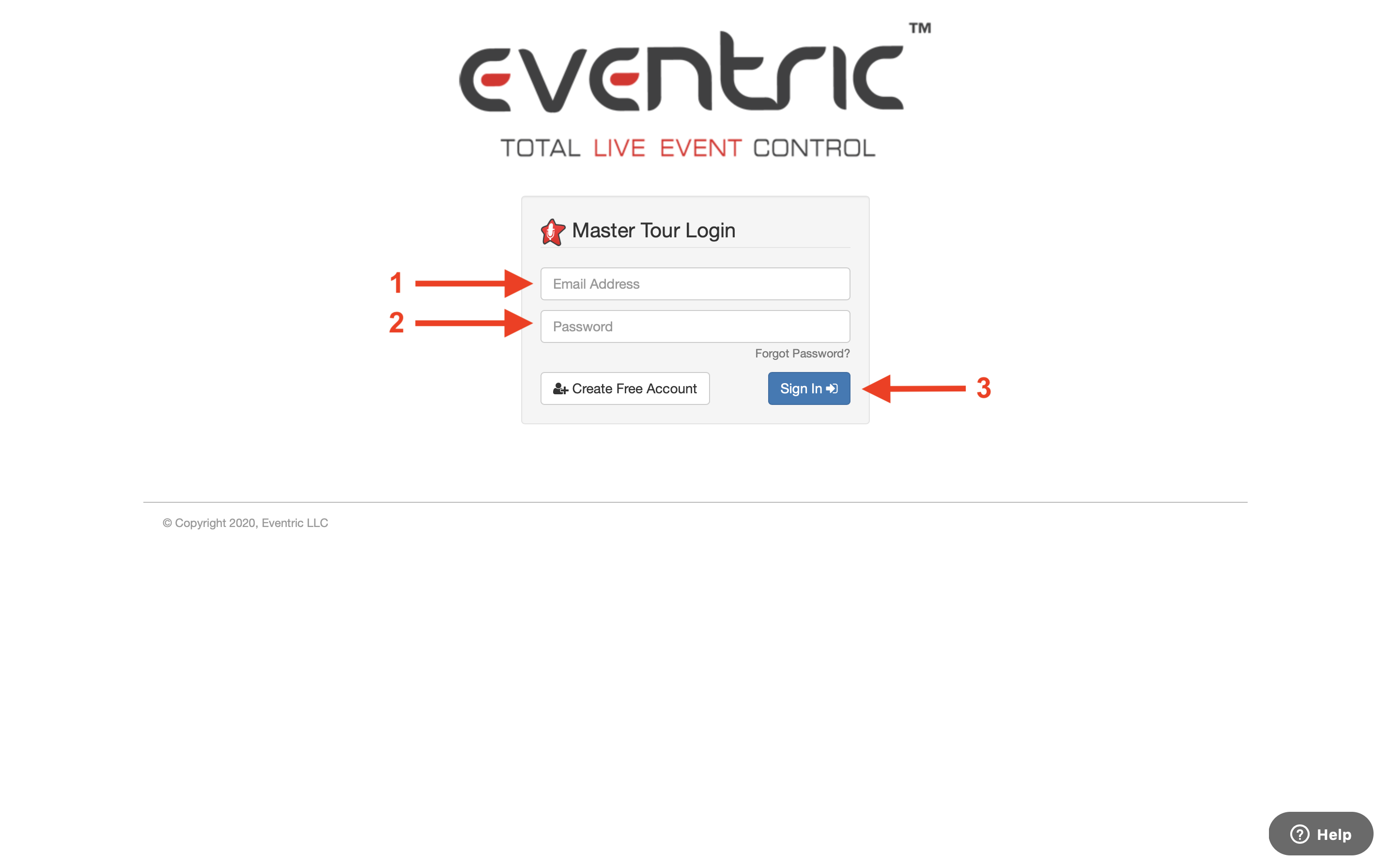
From the Login Page:
- Enter your Email Address in the Email Address field.
- Enter your Password in the Password field.
- Click the Sign In button.
You will then be directed to the Web Portal Home Page.
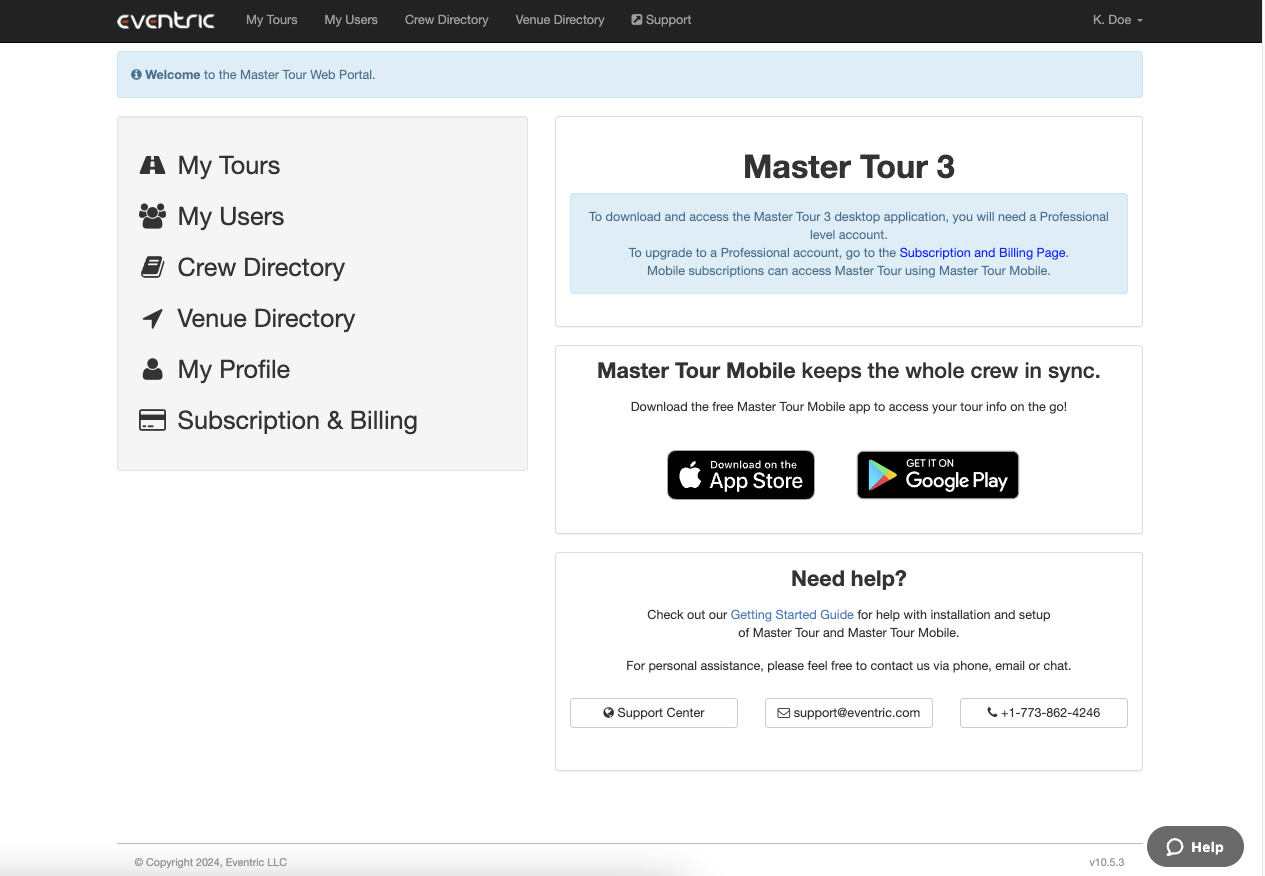
Click here for Step Three of the Getting Started Guide for downloading Master Tour Mobile onto your smartphone.
If you have any questions after following these instructions, please click here to open a Support Request or call +1-773-862-4246 to speak with a member of our Support Team between the hours of 10:00 am - 6:00 pm US Central Time (CT), Monday through Friday.