
You can Add and Edit General Day, Travel, and Hotel Notes in Master Tour Mobile.
Note: You will need a Professional subscription and Manager, Accounting, or Administrator Organization Permissions in order to use this functionality. Click here to learn about Organization Permissions.
This article covers how to:
Add and Edit Notes
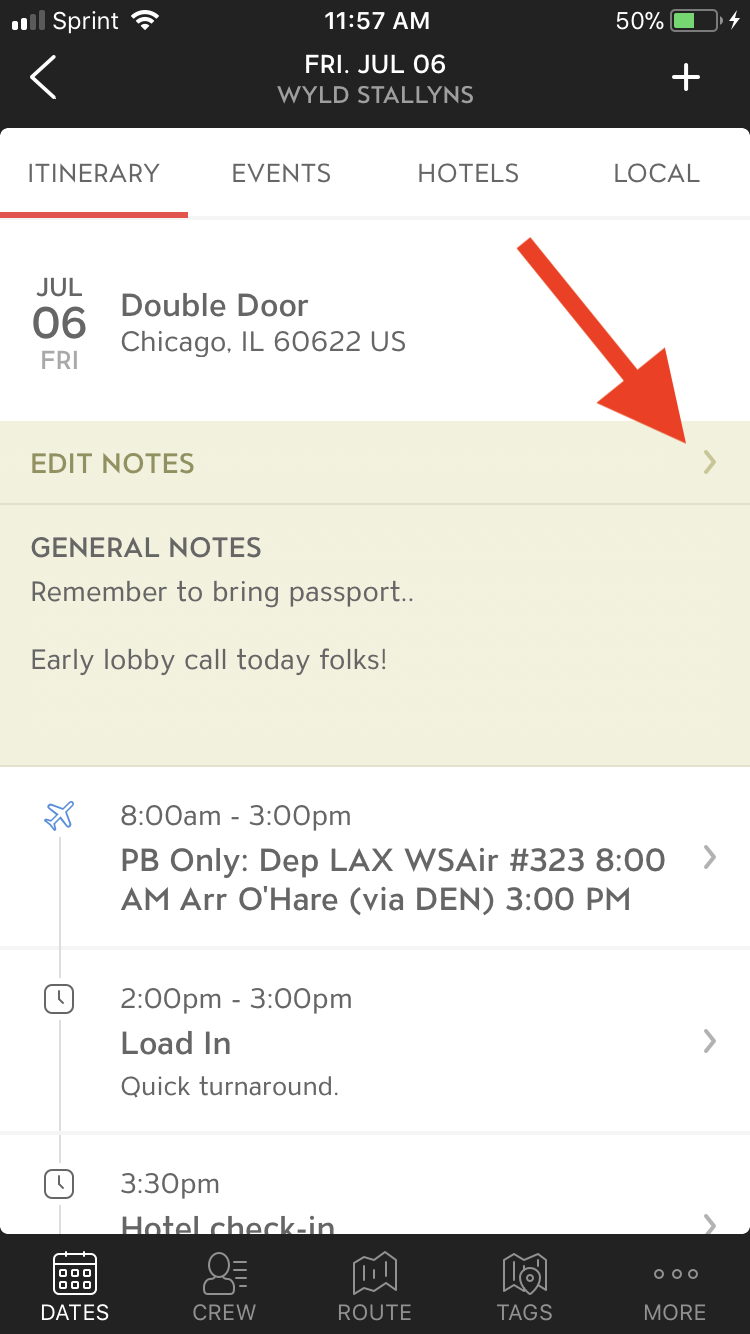
Navigate to your tour date's Schedule section. If you want to Add or Edit Notes, just tap on the yellow EDIT NOTES section.
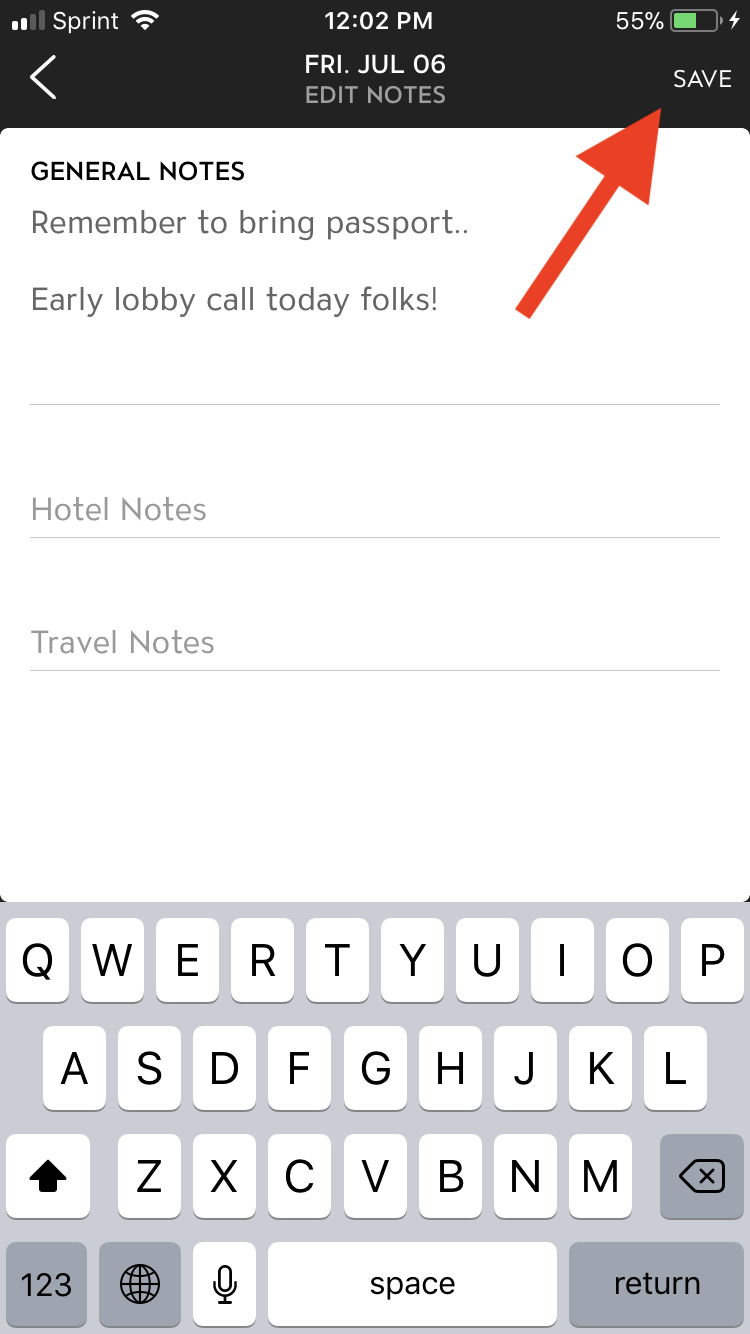
Add or Edit any General Day Notes, Travel Notes, and Hotel Notes. Tap the SAVE button in the top right corner to save your Notes.
If you have any questions after following these instructions, please click here to open a Support Request or call +1-773-862-4246 to speak with a member of our Support Team between the hours of 10:00 am - 6:00 pm US Central Time (CT), Monday through Friday.