
You can edit Set Specific Song Notes in your Set Lists using the Set List Module in Master Tour 3.
This article covers:
How to Navigate to the Set List Module
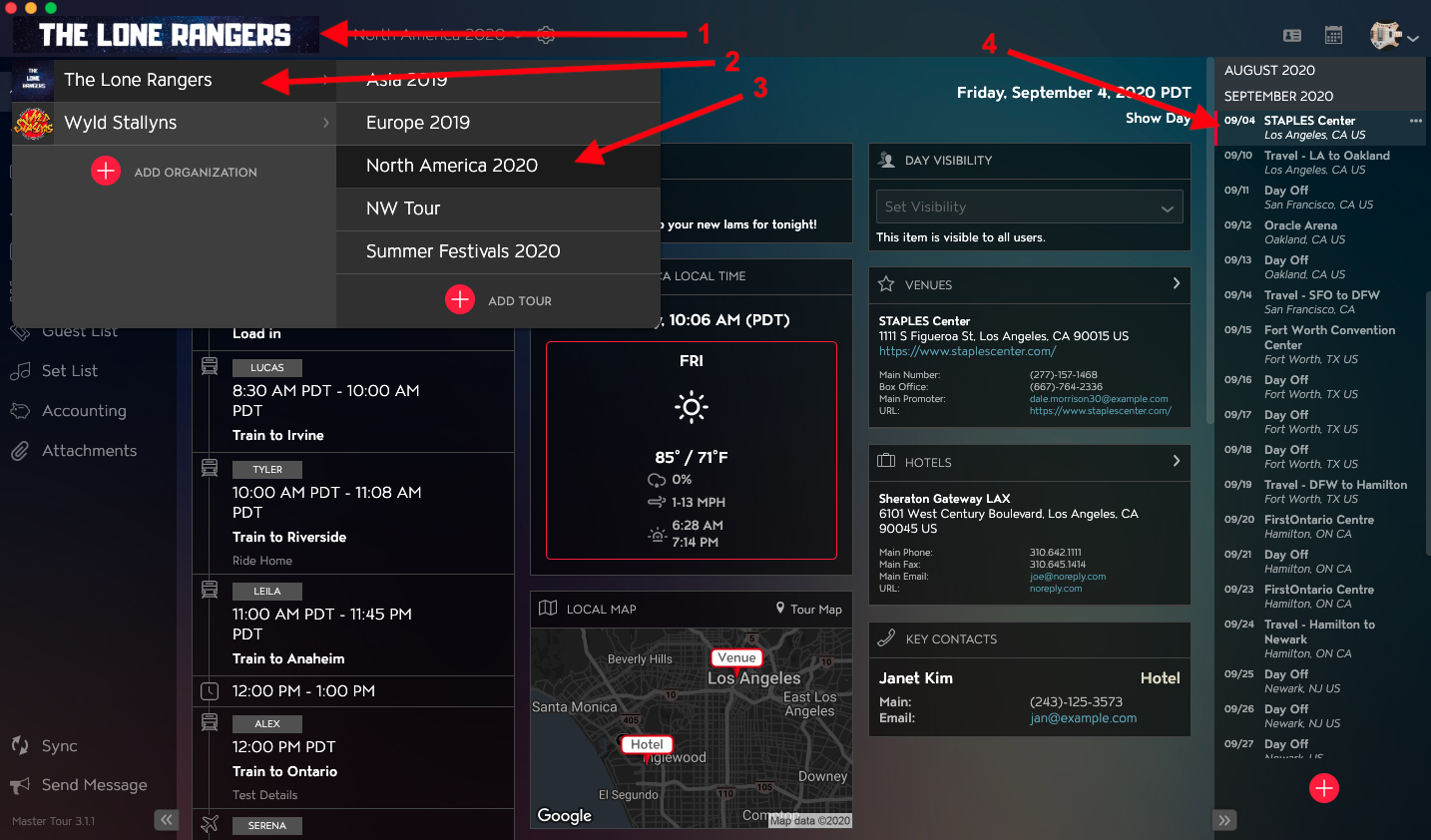
Within Master Tour, select the Tour Date that you would like to edit Set Specific Song Notes in a Set List for.
- Click on the Organization Selector dropdown menu in the upper left of the application.
- Select an Organization.
- Select a Tour from the Tour Selector dropdown menu.
- Select a Tour Date in the Tour Date List on the right of the application.
Click on Set List in the left menu.
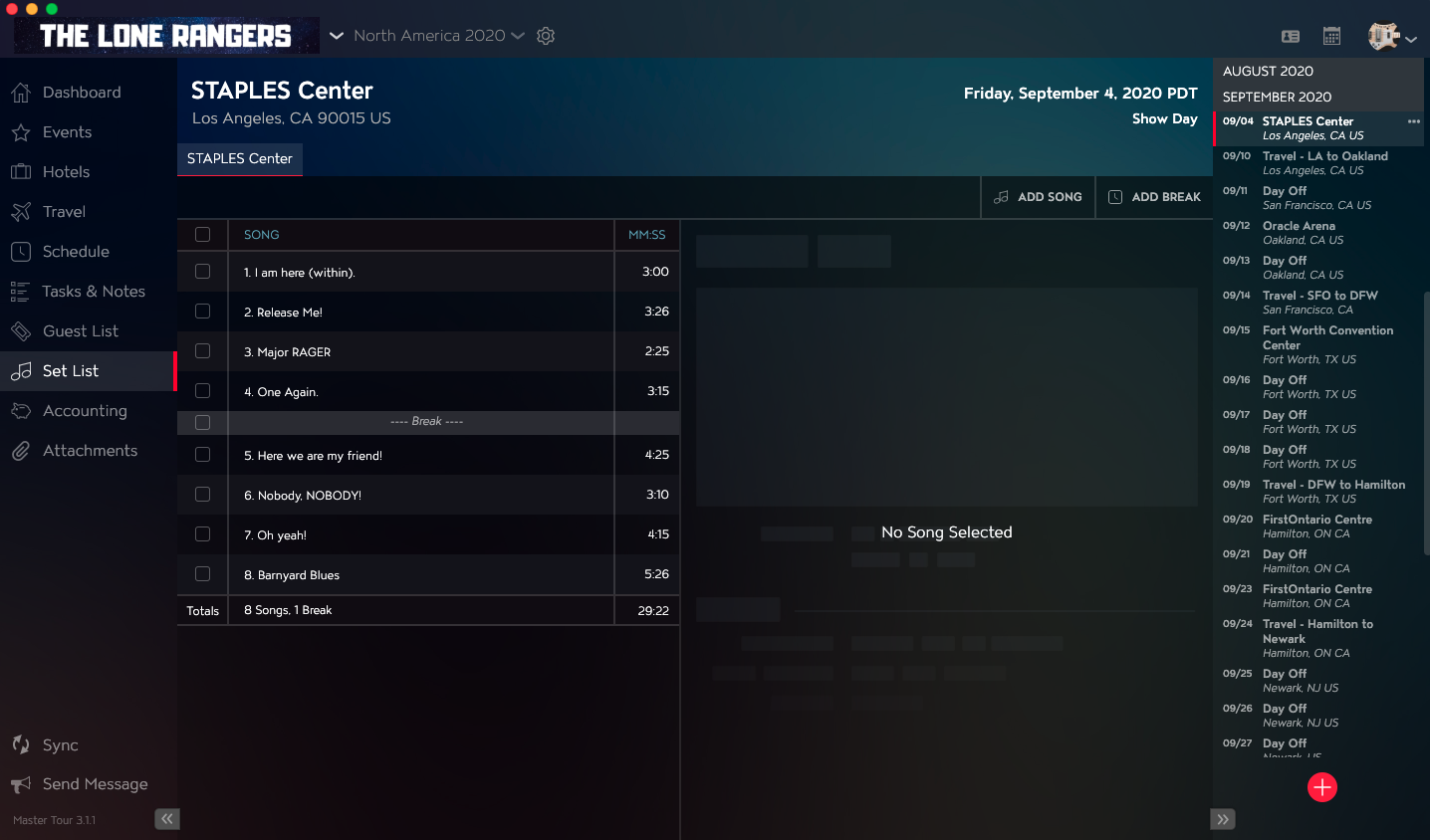
How to Edit Set Specific Song Notes in Set Lists
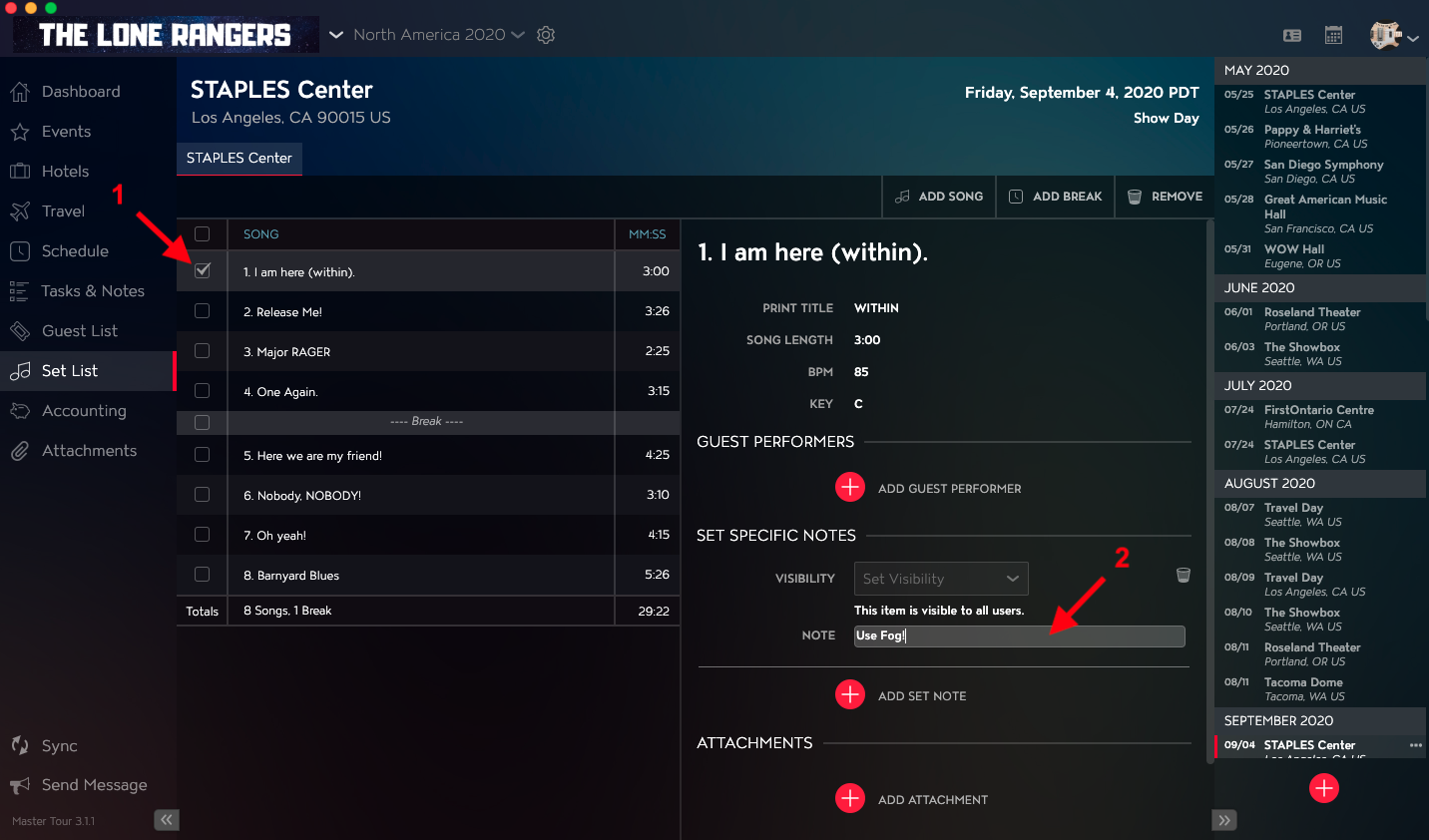
- Select the checkbox for the Song that you would like to edit Set Specific Notes for.
- Click into the Note field in the Set Specific Notes section in the right column to make your edits. Clicking out of the field will automatically save your changes.
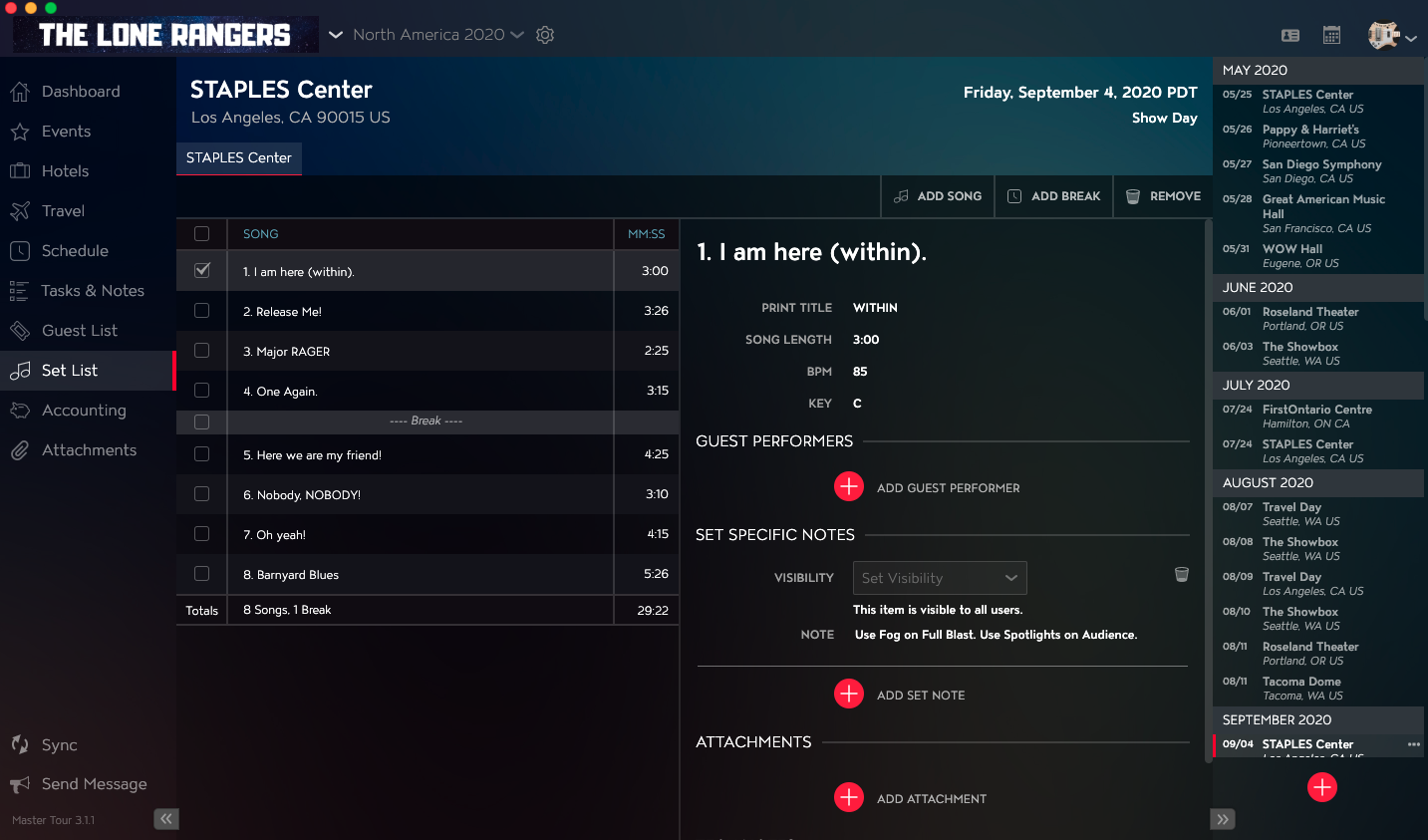
You will then see the updated notes in the Set Specific Notes section.
If you have any questions after following these instructions, please click here to open a Support Request or call +1-773-862-4246 to speak with a member of our Support Team between the hours of 10:00 am - 6:00 pm US Central Time (CT), Monday through Friday.