
You can unsubscribe from an Organization, which will remove that Organization from your copy of Master Tour and prevent you from accessing that Organization's data. Removing yourself from an Organization will not affect other users and their access to the Organization. It is recommended that you do not remove yourself from an Organization if you are the only Administrator. If an Organization has no Administrators, no one will be able to manage its users among or administer other Organization-specific functions.
This article covers:
How to Navigate to the Organization Settings
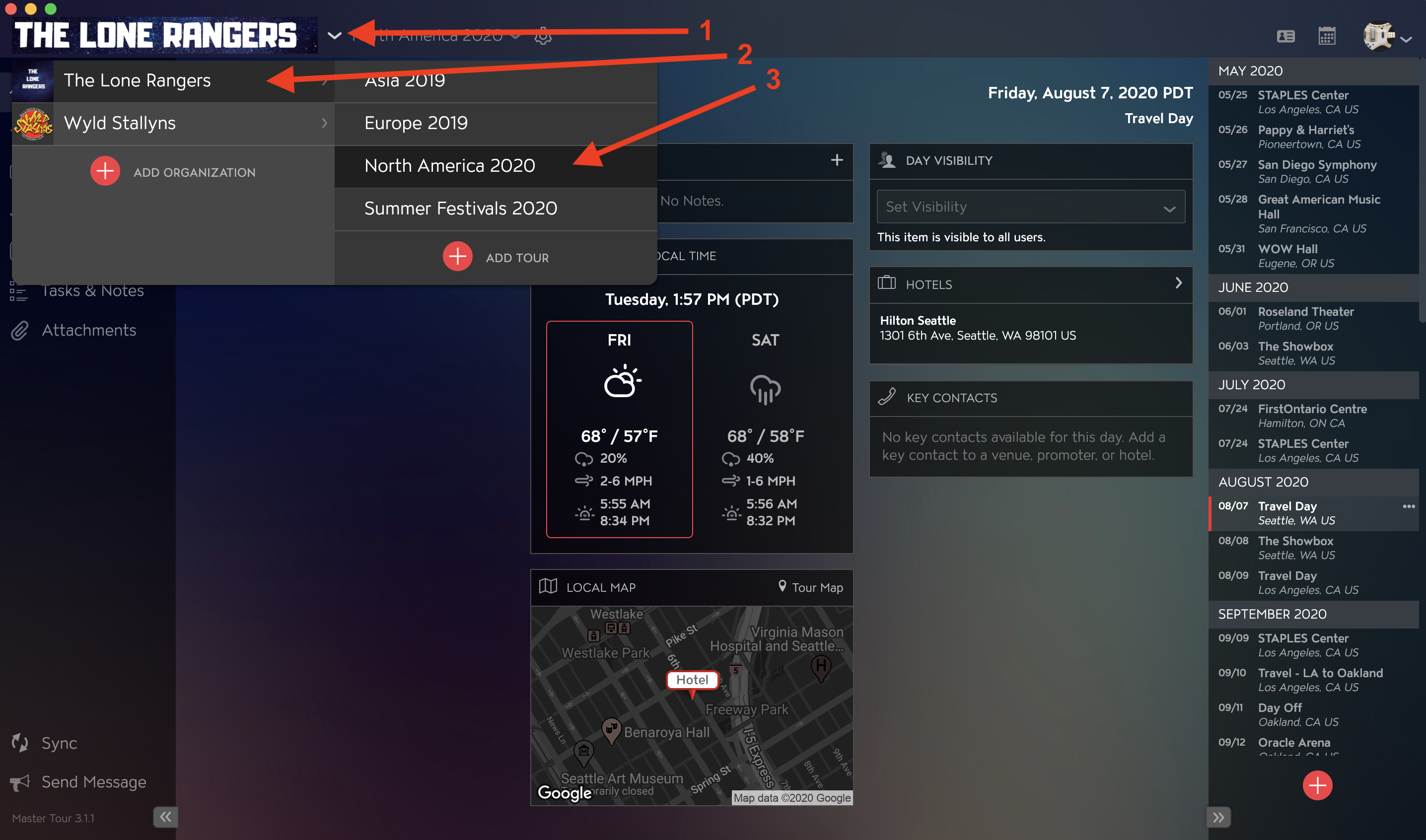
Within Master Tour, select the Organization that you would like to unsubscribe from.
- Click on the Organization Selector dropdown menu.
- Select an Organization.
- Select a Tour if there are any Tours added to the Organization.
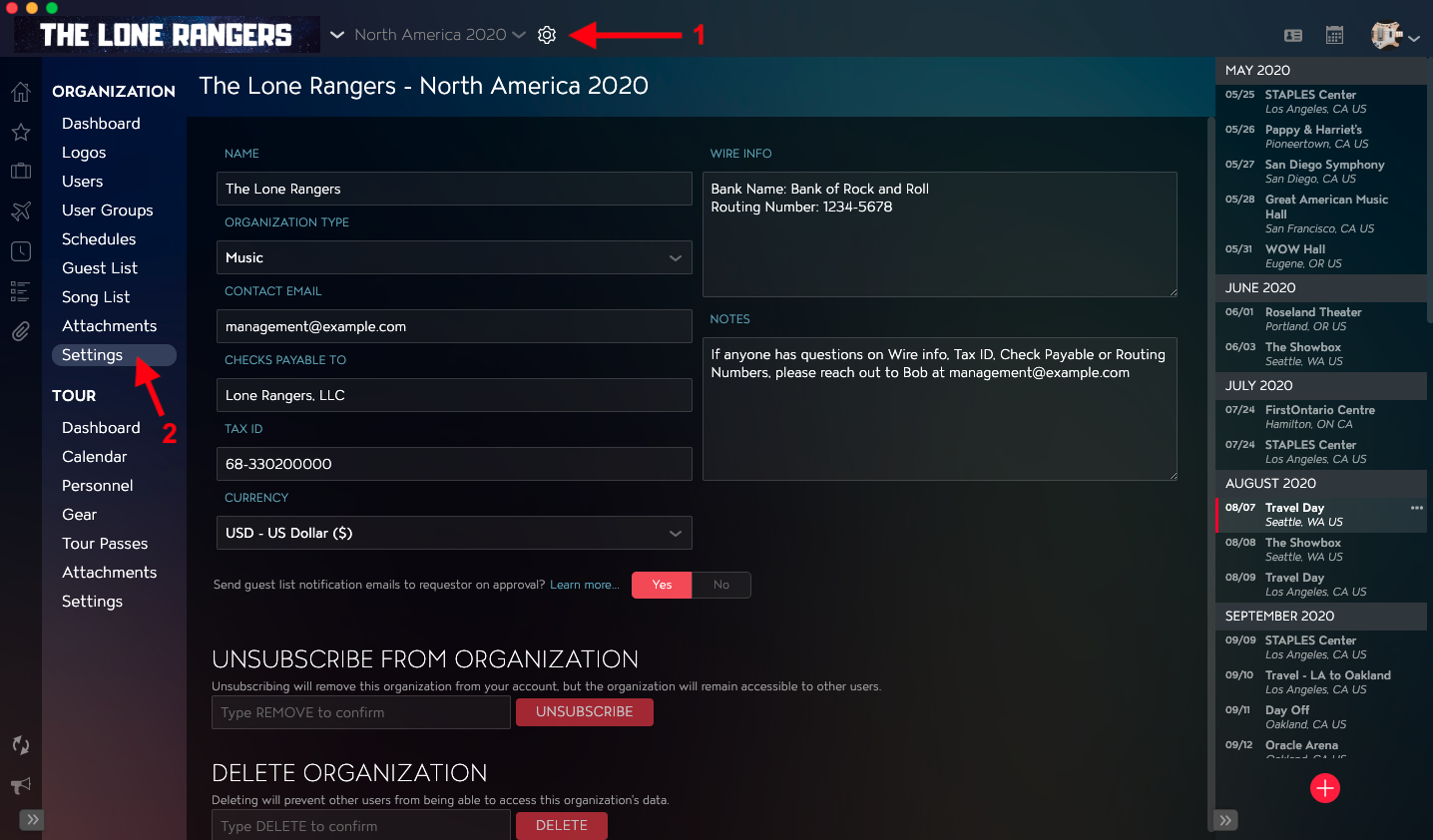
- Click on the Gear Icon to the right of your Tour Name at the top of the application.
- Click into the Settings Section within Organization Settings in the left menu.
How to Unsubscribe From an Organization
Towards the bottom of the application in the Unsubscribe From Organization section:
- Type REMOVE in the text field.
- Click on the Unsubscribe button to the right of the text field.
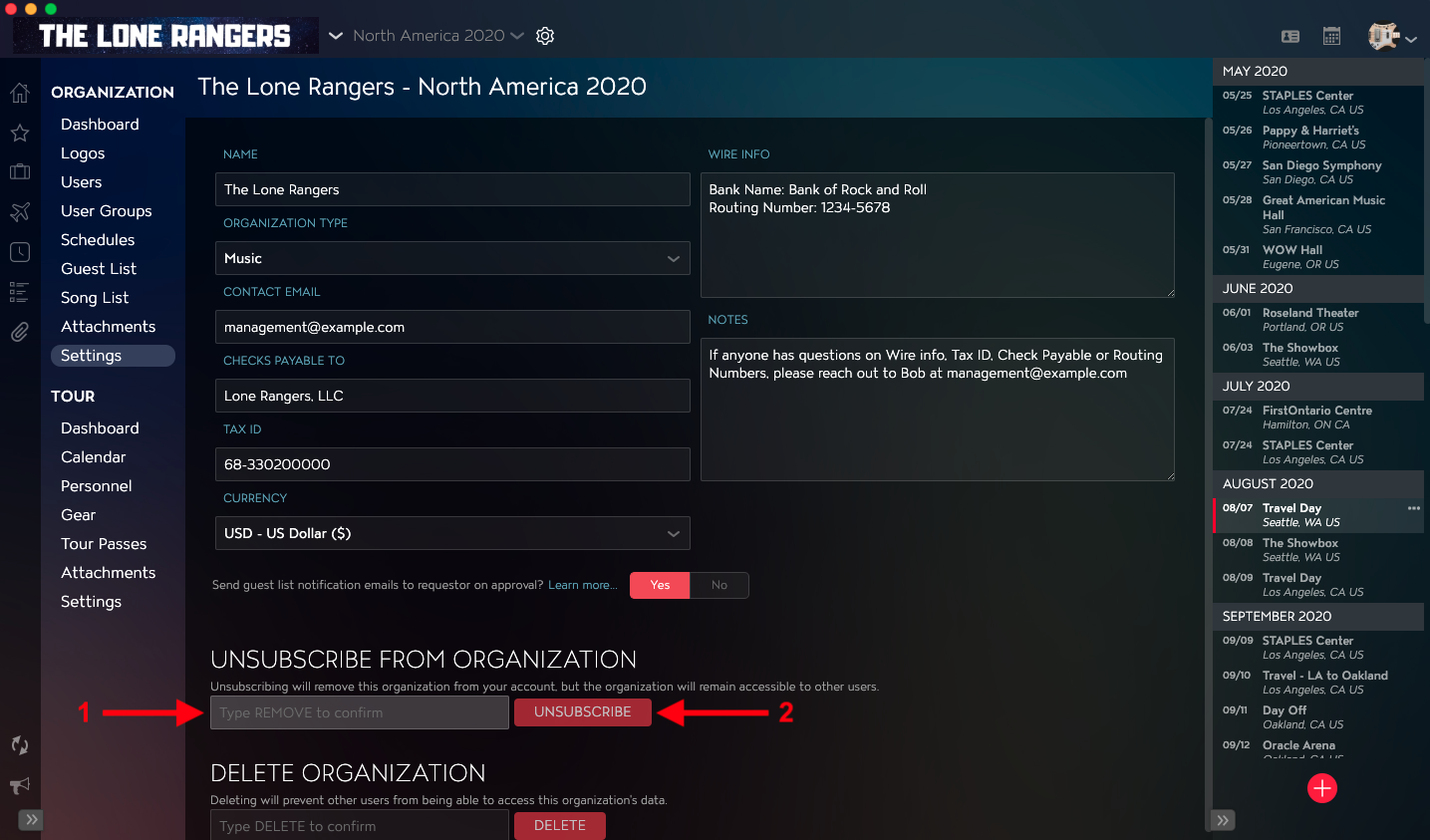
Once you have completed those steps, you will be successfully removed from that Organization.
If you have any questions after following these instructions, please click here to open a Support Request or call +1-773-862-4246 to speak with a member of our Support Team between the hours of 10:00 am - 6:00 pm US Central Time (CT), Monday through Friday.