
Master Tour 3's Keyboard and Touch Bar Shortcuts allow for quick and intuitive navigation around the Master Tour 3 platform.
This article covers the following topics:
Master Tour 3 Keyboard Shortcuts
How to Locate the Keyboard Shortcut List
To locate the Master Tour 3 Keyboard Shortcut List, click on the Navigate link in the Menu Bar. You will not only see the list of Keyboard Shortcuts, but you can also navigate to those areas directly from the list.
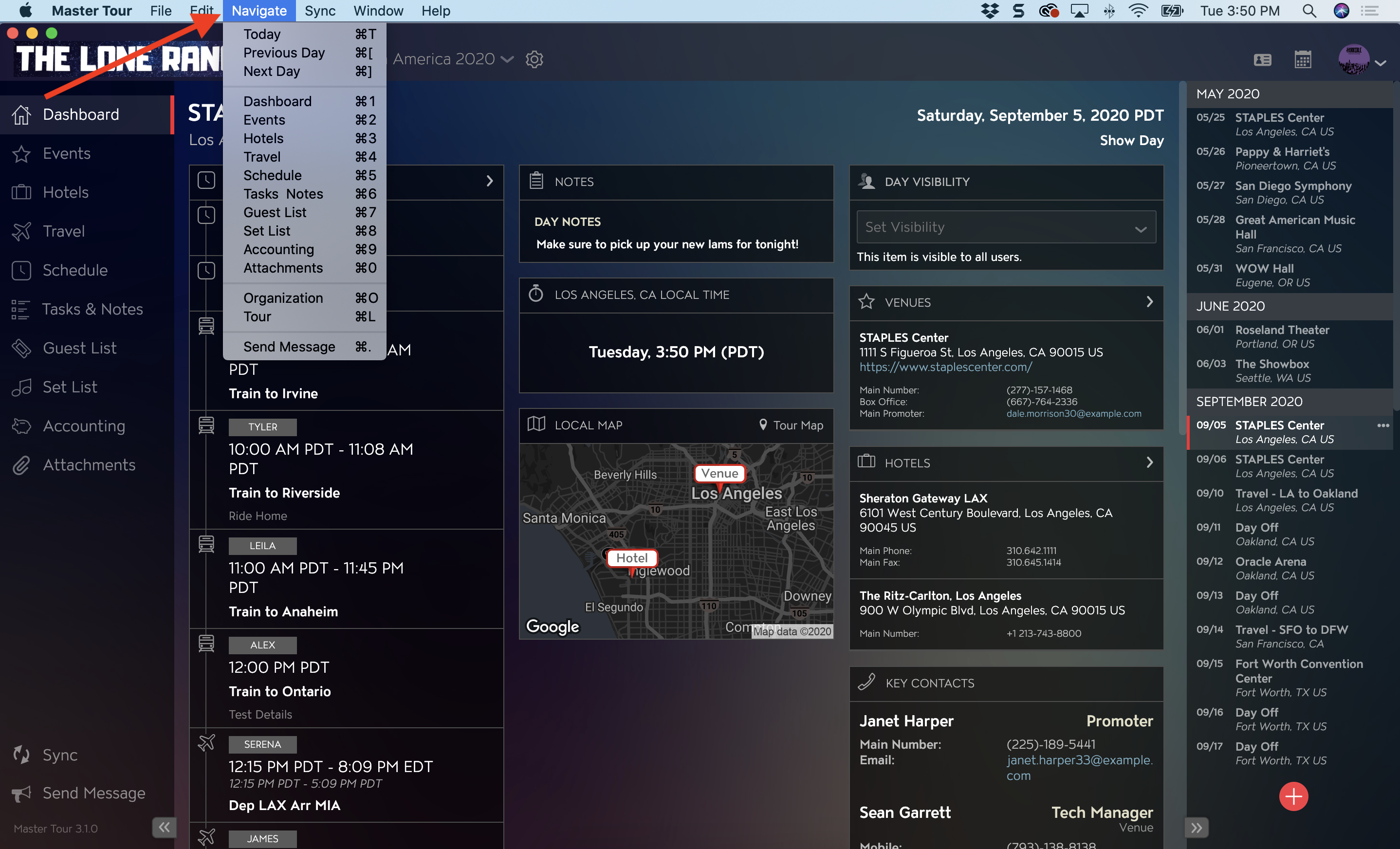
Table of Master Tour 3 Keyboard Shortcuts
Tables can't be imported directly. Please insert an image of your table which can be found here.
Navigate ToMac ShortcutsWindows Shortcuts
Master Tour 3 Touch Bar Shortcuts
How to Locate the Master Tour 3 Touch Bar Shortcuts
If your laptop computer has a Touch Bar, you can locate it at the top of your keyboard. When you are working in Master Tour 3, the Master Tour 3 Touch Bar will be available for use.
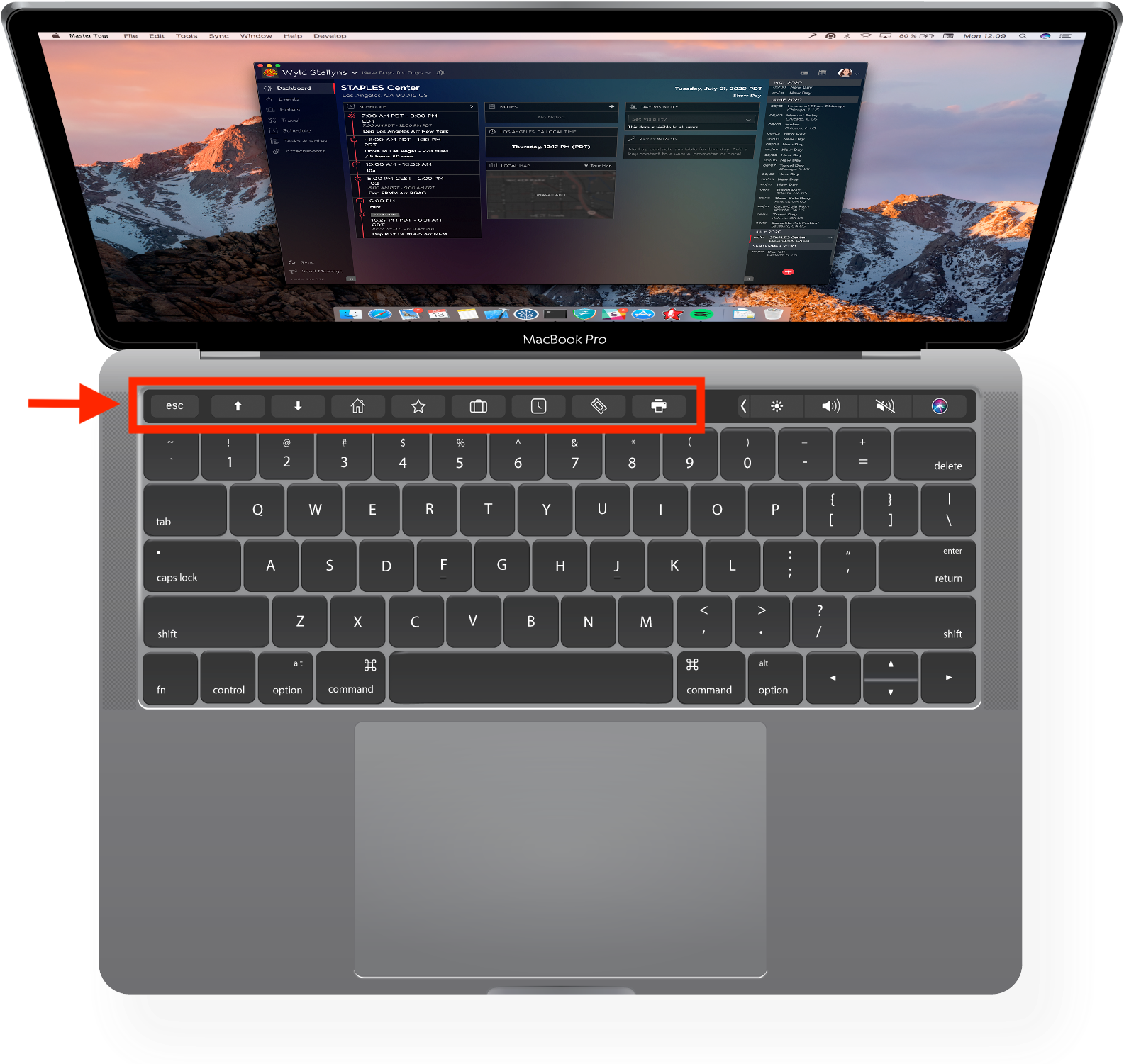
Guide of Master Tour 3 Touch Bar Shortcuts
- Escape
- Previous Day
- Next Day
- Dashboard
- Events
- Hotels
- Schedule
- Guest List

If you have any questions after following these instructions, please click here to open a Support Request or call +1-773-862-4246 to speak with a member of our Support Team between the hours of 10:00 am - 6:00 pm US Central Time (CT), Monday through Friday.